Parker Seminar 2026 was my second time.
Last year I tried my best to follow along — but jet lag and weak English listening skills combined badly. I ended up dozing off in the session hall or giving up and watching from my hotel room. Paid to fly to Las Vegas and fell asleep in the conference.
This time I wanted to do something different.
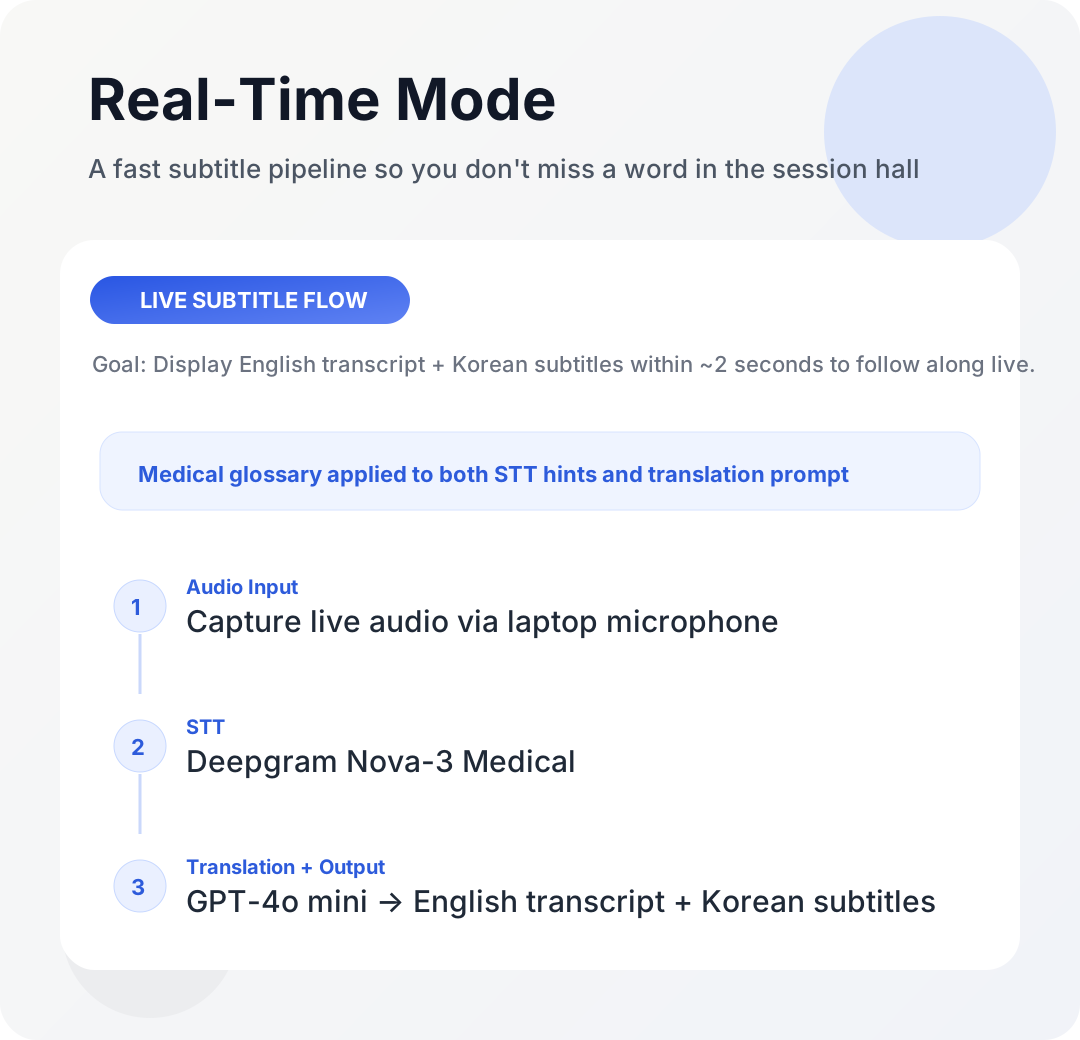
This is a field report on the real-time translation pipeline I built and used at Parker Seminar 2026. I used Deepgram Nova-3 Medical to transcribe English speech, GPT-4o mini to add Korean subtitles, and a custom medical glossary to keep terminology consistent.
Here's the summary:
- Goal: See Korean subtitles within roughly 2 seconds while listening to English sessions
- Stack: Deepgram Medical STT + GPT-4o mini translation + medical glossary
- Result: Not a perfect translator — but more than enough to follow the content live
This is a personal field report, not a formal benchmark. Any numbers or observations reflect my specific setup, network conditions, and session environment.
What's Already Out There
Naver Clova Note handles English recordings and does post-processing. But it's not real-time. It's useful for reviewing after a session, not for understanding what's being said right now.
I found out later that Samsung Galaxy has a built-in real-time translation feature. But I'm on Apple. Moving on.
That left building it myself.
What Needed to Be Built
The structure is simple:
Voice → text (STT) → Korean translation
I started with STT. Local Whisper on Mac is an option, but running a high-performance model eats too many resources. I didn't want my laptop fan running non-stop in a conference hall.
While searching, I found Deepgram. It's API-based, so no local resource burden, and they offer test credits so I could validate it immediately. Deepgram has a Nova-3 Medical model specifically built for medical content. Working in pain medicine, I knew that mis-transcribing words like proprioception, subluxation, or chiropractic adjustment would tank comprehension fast — so that model was the obvious choice.
For translation, the question was which LLM to use. Better models give better output, but real-time means speed is a hard constraint. My threshold: subtitles need to appear within 2 seconds to be useful. After testing several combinations, I landed on GPT-4o mini — the best balance of speed and quality for this use case.
On top of that, I built a medical glossary. A curated list of chiropractic and sports medicine terminology, passed as hints to Deepgram at the STT stage, and used to instruct GPT to translate specific terms in specific ways. Within my testing, translation consistency improved noticeably after adding this layer.
The build was faster than expected. A working version was running in an hour or two.
Problems That Showed Up During Home Testing
Testing at home with English YouTube videos went fine.
Testing with the TV on didn't. The microphone wasn't picking up audio cleanly. I thought it might be an environment issue, so I changed the approach. The phone mic captured audio better, so I experimented with connecting my phone and laptop over IP and streaming the phone audio to the computer. That worked.
I thought I was ready.
What Actually Happened in the US
The conference hall Wi-Fi was slow.
When I tried the phone-to-laptop connection, there was lag. In my setup, subtitle delays of 3–4 seconds made them meaningless. I dropped the phone connection and just used the laptop microphone directly — and the conference audio system was powerful enough that it worked fine. The audio capture issue I'd hit with my TV at home wasn't a problem here at all.
It worked — just not in the way I'd prepared for.
What It Was Like in Practice
GPT-4o mini translation wasn't perfect. Occasionally sentences came out awkward, and when the context window was too short, transitions weren't smooth. But for the purpose of live English conference translation, having it was significantly better than not having it.
The STT held up well in this environment. Even when a translation was slightly off, the English transcript was visible on the same screen — so I could glance at the original and fill in the gaps. The two together compensated for each other.
The bottom line: I made it through nearly every session this time without dozing off. For anyone in a similar position — English listening isn't strong enough to catch everything, but seeing the key words and context helps you follow along — this pipeline is genuinely useful.

Real-Time Is Only Half of It — The Post-Processing Pipeline
Real-time translation keeps you from missing things in the room. The real asset comes after the session ends.
When the recording is available, I run it through a post-processing pipeline:
- Deepgram STT transcribes the full session recording
- Claude Opus fixes transcription errors, joins fragmented sentences, and produces a clean English transcript
- In the same pass, sentence-by-sentence Korean translation is added
- The translation is reviewed and finalized
Real-time favored GPT-4o mini for speed. Post-processing favors accuracy. Opus handles medical terminology context at a noticeably different level.
The output comes in three forms:
- Clean English transcript — what the speaker actually said, organized clearly
- Korean translation — sentence-level correspondence to the English
- Summary — the key points distilled
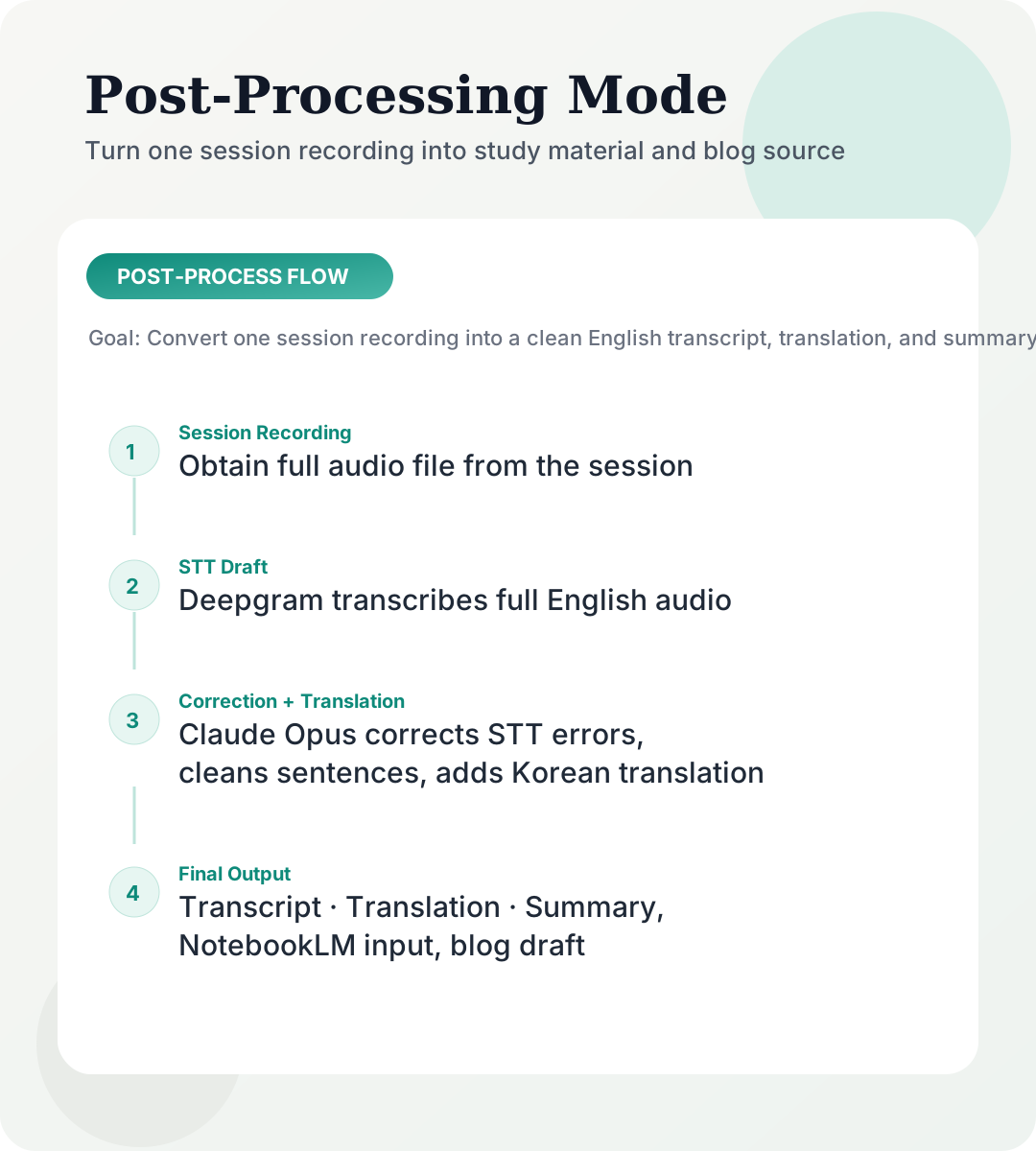
Feed this into Google NotebookLM and you can generate presentation slides, infographic source material, or blog posts. The Parker Seminar series on this blog — the Mike Boyle, Andy Galpin, and Gary Vee session recaps — all came out of this pipeline. One recording in, and you get study material, a translated document, and blog source all at once.
It's not a finished product. The UI is minimal, and setup requires looking at the code. It's not something someone else can just pick up and use.
But it works for what I need it to do. That's enough.
FAQ
Why Deepgram Medical specifically?
Medical terminology recognition. General STT often mistranscribes low-frequency medical terms like proprioception — mapping them to phonetically similar common words. For chiropractic and sports medicine content, the medical-specific model was significantly more reliable in my testing.
Why GPT-4o mini for real-time?
Speed was the top priority. Subtitles need to appear within 2 seconds to be useful. GPT-4o mini was fast enough in my tests, and the translation quality was acceptable for this use case. For post-processing where accuracy matters more, I use Opus separately.
Why did you need the phone-to-laptop connection at all?
During home testing, laptop mic capture wasn't clean in some situations. The phone mic picked up audio better, so I added an option to stream phone audio to the computer over IP. In the actual conference hall, the audio system was strong enough that the laptop mic alone was sufficient.
Can I generalize from your results?
Not yet. This is a personal field report from Parker Seminar 2026, based on my specific setup. Session acoustics, seating position, Wi-Fi conditions, and hardware all affect results. Your mileage will vary.
Who is this most useful for?
People who can't catch 100% of spoken English, but can follow along if they see key words and context on screen. Even when the translation is slightly off, having the English transcript alongside it improves comprehension significantly.